Overview
About Final Fight CD
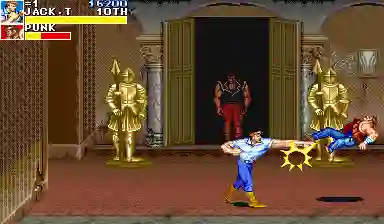
Final Fight CD is a side-scrolling brawler for Sega CD.
Watch where enemies stand before pressing attack. In a scrolling brawl, being beside a target on the screen is not always the same as being lined up to hit it.
How to Play Final Fight CD in Your Browser
- Open the player. Select Start Game inside the game window if you see that button. This launches the browser player; it is separate from the Start input used inside the game.
- Wait for the game screen. Let the Sega CD game finish loading before pressing any keys. If you get an error before play starts, try reloading the page once on a stable connection.
- Check an input. Click inside the game window and test one direction, then one action. For a connected gamepad, open Control Settings and check how the player assigned its buttons.
Use the on-screen controls if your browser shows them. Landscape orientation can give you more room; if pressing two inputs together is awkward, try a compatible gamepad or a desktop keyboard.
Final Fight CD Controls
| Keyboard | Controller input |
|---|---|
| Arrow keys | D-pad |
| S / X / Z | A / B / C |
| Q / A / E | X / Y / Z |
| Enter | Start |
| V | Mode |
These are default player-one bindings. What a controller button does depends on the game and its current menu or mode. If you changed a binding in Control Settings, use that assignment instead.
Final Fight CD Tips
- What to try first. Learn to move off an opponent’s attack line before re-entering at an angle. Keep one empty side of the screen to retreat into if another enemy approaches during the first exchange.
- Clear one side. Move toward open floor and let the nearest opponent follow. Deal with the first approach without walking into the next one.
- Check the reach. Test where a single attack connects. Move before swinging again if the target has shifted out of line.
- Watch the lane. If two enemies approach from different sides, change your position first. A brief retreat can turn two incoming attacks into two separate exchanges.
Games Like Final Fight CD
- Final Fight 3: Try a side-scrolling brawler on SNES and compare how it handles the same kind of decisions.
- Final Fight 2: Try a side-scrolling brawler on SNES and compare how it handles the same kind of decisions.
- Cadillacs & Dinosaurs: Try a side-scrolling brawler on Arcade and compare how it handles the same kind of decisions.
- Streets of Rage 2: Try a side-scrolling brawler on Genesis and compare how it handles the same kind of decisions.
- Knights of the Round: Try a side-scrolling brawler on Arcade and compare how it handles the same kind of decisions.