Overview
About Last Blade, The - Beyond the Destiny
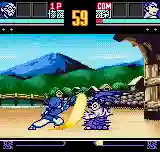
Last Blade, The - Beyond the Destiny is a fighting game for Neo Geo Pocket.
Try one fighter for a few rounds. Move until an attack falls just short, then step slightly closer and test it again. That difference is the range you need to recognize under pressure.
How to Play Last Blade, The - Beyond the Destiny in Your Browser
- Open the player. Select Start Game inside the game window if you see that button. This launches the browser player; it is separate from the Start input used inside the game.
- Wait for the game screen. Let the Neo Geo Pocket game finish loading before pressing any keys. If you get an error before play starts, try reloading the page once on a stable connection.
- Check an input. Click inside the game window and test one direction, then one action. For a connected gamepad, open Control Settings and check how the player assigned its buttons.
Use the on-screen controls if your browser shows them. Landscape orientation can give you more room; if pressing two inputs together is awkward, try a compatible gamepad or a desktop keyboard.
Last Blade, The - Beyond the Destiny Controls
| Keyboard | Controller input |
|---|---|
| Arrow keys | D-pad |
| X / Z | A / B |
| Enter | Option |
These are default player-one bindings. What a controller button does depends on the game and its current menu or mode. If you changed a binding in Control Settings, use that assignment instead.
Last Blade, The - Beyond the Destiny Tips
- What to try first. Keep enough room to see the start of a weapon swing. Once you can make a long strike miss, try a quick reply rather than walking all the way into close range.
- Watch the miss. Hold position just outside an attack and wait for it to finish. Answer once and see whether you can recover before the next move.
- Find a short answer. Pick one move for close range and another for the outer edge of your reach. Learn when each works before extending either into a combo.
- Reset your spacing. After your move is blocked, pay attention to who acts first. If a second attack keeps getting interrupted, return to defense instead.
Games Like Last Blade, The - Beyond the Destiny
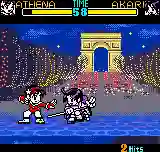
- SNK vs. Capcom - The Match of the Millennium: Another fighting game on Neo Geo Pocket; find your attack range before trying long combos.
- Samurai Shodown! 2 - Pocket Fighting Series: Another fighting game on Neo Geo Pocket; find your attack range before trying long combos.
- King of Fighters R-2 - Pocket Fighting Series: Another fighting game on Neo Geo Pocket; find your attack range before trying long combos.
- Fatal Fury F-Contact - Pocket Fighting Series: Another fighting game on Neo Geo Pocket; find your attack range before trying long combos.
- Rockman - Battle & Fighters: Another fighting game on Neo Geo Pocket; find your attack range before trying long combos.