


Overview
About Space Harrier
Space Harrier is a shooter for Sega 32X, released in 1985.
Spend the first run watching where the next threat enters. Move early enough to keep a gap available instead of waiting for the screen to fill and then trying to dodge across it.
How to Play Space Harrier in Your Browser
- Open the player. Select Start Game inside the game window if you see that button. This launches the browser player; it is separate from the Start input used inside the game.
- Wait for the game screen. Let the Sega 32X game finish loading before pressing any keys. If you get an error before play starts, try reloading the page once on a stable connection.
- Check an input. Click inside the game window and test one direction, then one action. For a connected gamepad, open Control Settings and check how the player assigned its buttons.
Use the on-screen controls if your browser shows them. Landscape orientation can give you more room; if pressing two inputs together is awkward, try a compatible gamepad or a desktop keyboard.
Space Harrier Controls
| Keyboard | Controller input |
|---|---|
| Arrow keys | D-pad |
| S / X / Z | A / B / C |
| Q / A / E | X / Y / Z |
| Enter | Start |
| V | Mode |
These are default player-one bindings. What a controller button does depends on the game and its current menu or mode. If you changed a binding in Control Settings, use that assignment instead.
Space Harrier Tips
- What to try first. Use shallow changes in position to move around obstacles as they scale into view. Look ahead for the next lane before rushing back toward the center.
- Pick a lane. Stay where you can move in two directions. Shift as soon as one side starts to close, not when both exits are blocked.
- Aim while you move. Practice short changes of position rather than sweeping across the whole screen. See whether a smaller correction leaves you a clearer shot.
- Choose what to chase. Let a point or pickup go when reaching it would close your exit. Test that route again after you recognize the approach pattern.
Games Like Space Harrier
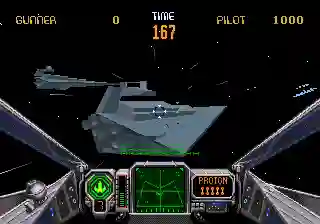
- Star Wars Arcade: Another shooter on Sega 32X; read enemy approaches and keep an escape lane open.
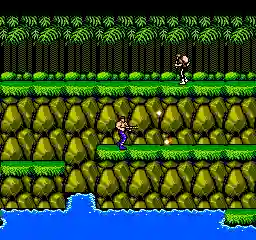
- Contra: Try a shooter on NES and compare how it handles the same kind of decisions.
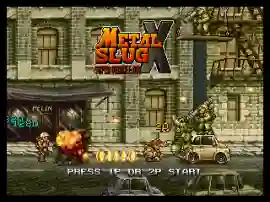
- Metal Slug X: Try a shooter on PlayStation and compare how it handles the same kind of decisions.
- Metal Slug 2 - Super Vehicle-001/II: Try a shooter on Arcade and compare how it handles the same kind of decisions.
- Snow Bros. - Nick & Tom: Try a shooter on Arcade and compare how it handles the same kind of decisions.